Web delivery
WebP is broadly supported in current browsers and is often useful when optimizing images for websites or web apps.

Create a WebP copy of a logo or graphic. Preview the transparent edges and compare the output size.
Browser image decoding and the Canvas 2D API handle supported pixels locally.
The tool loads its interface and processing files from the site. This workflow handles the contents you select or enter in the browser.
File picker filter: image/png, .png. The selected file must also pass this tool’s content and decoder checks.
Limits are safeguards, not a guarantee every file below them will process. Complex files and device memory can require a smaller input.
Select or drag and drop still PNG images. The PNG signature, IHDR dimensions and chunk boundaries are checked before browser decoding.
or choose files from your device
The idle preview uses a built-in transparent sample. Select a queue item to inspect your own PNG and converted WebP.
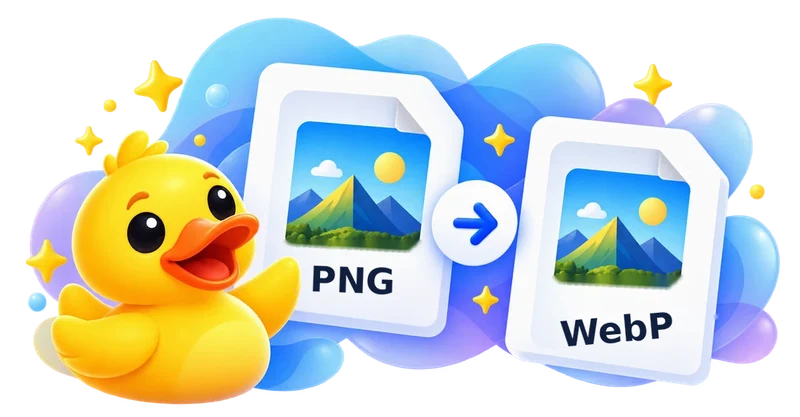
WebP is a modern web image format that supports lossy and lossless compression plus alpha transparency. Converting a PNG to WebP can reduce transfer size for some images, but it is not guaranteed to make every file smaller and it does not recreate detail that is absent from the source.
WebP is broadly supported in current browsers and is often useful when optimizing images for websites or web apps.
Unlike JPEG, WebP can retain transparency, so logos, UI artwork and cut-out graphics do not need to be flattened onto a solid background.
The quality slider lets you choose how aggressively the browser encodes the WebP. Compare the actual resulting bytes instead of assuming WebP is always smaller.
Choose up to 25 still PNG files. Content is validated by signature and PNG structure rather than filename alone.
Set WebP quality from 40 to 100. Start near 90 and inspect image detail and output size for your use case.
Conversion runs sequentially. With verification enabled, MAGODUCK checks WebP signature, MIME, decoded dimensions and browser decodability.
Download individual WebP files or package converted results into a local ZIP when the generated-output limit permits.
The queue shows source size, dimensions, warnings, per-file state and converted size. Duplicate names receive safe numbered output filenames instead of overwriting one another.

The tool checks the eight-byte PNG signature, requires a valid IHDR, walks chunk boundaries, reads dimensions before decode and requires image data plus IEND. A file renamed to .png is not accepted unless its content is actually PNG.
PNG Third Edition covers both static and animated PNG. APNG uses an acTL animation-control chunk. This still-image converter rejects PNG files containing acTL instead of silently exporting only one animation frame.
PNG supports full alpha channels as well as transparency through tRNS. Decoded transparent and semi-transparent pixels are drawn to an alpha-capable canvas and then encoded to WebP.
The quality value is passed to the browser's canvas.toBlob() WebP encoder. It is meaningful for lossy WebP encoding, but this page does not claim that quality 100 forces a mathematically lossless encoder mode. A WebP can be larger than its PNG source.
PNG can contain color-space and ancillary metadata including ICC, EXIF, textual chunks and physical-pixel information. Canvas re-encoding does not intentionally copy those source chunks, so this tool makes no metadata- or profile-preservation guarantee.
PNG can store sample depths up to 16 bits. This browser canvas workflow re-encodes decoded pixels and therefore does not promise preservation of a 16-bit PNG sample-depth representation.
This plugin build has no image-conversion endpoint or third-party conversion script. Its interface assets are loaded from the WordPress site, while selected image bytes and filenames are processed by browser APIs in the current tab. Opening optional documentation links below is a separate action.
This build limits a batch to 25 files, 25 MB per file, 150 MB total, 24 megapixels per image and 16,383 pixels per side. Conversion runs sequentially, and Download All is guarded at 100 MB of generated WebP data; individual downloads remain available above that ZIP threshold.
Direct answers about PNG transparency, quality, size and browser conversion.
Yes. This converter has no account requirement or paid conversion gate.
No image-conversion upload is implemented. Selected file bytes and filenames are handled by browser APIs in the current tab. Normal WordPress page assets such as CSS, JavaScript and interface images are still requested from the site host.
This implementation keeps the decoded alpha channel through an alpha-capable canvas and WebP encoding. Transparent and semi-transparent pixels are covered by the real-file QA matrix.
No. Output size depends on image content, transparency and selected quality. The interface reports the actual byte difference after conversion.
No. Re-encoding can change compression behavior, but conversion cannot create missing source detail or improve the underlying image simply by changing format.
No source-metadata preservation is promised. This canvas workflow does not intentionally copy PNG EXIF, ICC, text or other ancillary chunks into the WebP container.
Not with this tool. PNG files containing the APNG animation-control chunk are rejected rather than silently reduced to one frame.
Yes. Up to 25 accepted still PNG files can be processed sequentially with the same quality setting, then downloaded individually or together as a ZIP within the generated-output limit.
A compatible current browser needs PNG decoding, Canvas 2D, Blob/Object URL support and WebP canvas encoding. Browser families not explicitly tested for this release are not claimed as verified.
image/webp output with a quality parameter. See the W3C PNG Third Edition specification, Google WebP container specification, MDN canvas toBlob(), and the MDN image format guide.QUICK ANSWER & TOOL GUIDE
Yes, MAGODUCK can keep transparent pixels when converting a supported still PNG to WebP. Set the quality, convert, and inspect the edges and background in the output preview. The downloaded WebP keeps the source pixel dimensions.
Important: The browser encoder can change color pixels, even when it keeps the alpha values. This converter handles still PNGs and requires a browser that can encode WebP.
Need help with a file or download? Read the image tool help center.

WebP can preserve the decoded alpha when the browser supports the export. Check the new file over light and dark backgrounds for edge or color changes.
Check the exported logo over light and dark backgrounds before replacing the PNG on a site.
WebP is useful when a web project needs to balance size with transparency. Prepare a sample that represents the hardest part of the artwork, such as tiny lettering or a translucent shadow. Inspect it on the background used by the website. If an edge becomes too soft, run a second comparison at a higher quality.
Keep the PNG as a working original for design revisions. Evaluate file size after export because simple shapes or a compact palette can already be efficient in PNG. A smaller result is useful only when the image still reads clearly in its intended layout.
Try the sample and check the verified output format. If the browser reports an unavailable encoder, use a browser that can save WebP or keep PNG for that delivery. Renaming a downloaded file cannot change the actual byte format expected by the browser or server.
An optimized PNG can store a small number of colors efficiently. WebP also includes container overhead, which can matter for very small images. Compare the measured bytes and the way the icon looks at its real screen size. Keep the smaller compatible option that meets your quality needs.
Open both at equal scale, with the actual page color behind them. Check thin outline edges, small letters, and any soft shadows. If these areas look equally usable, consider browser support and how your publishing system handles the file before replacing the source asset.
The decoded WebP kept every alpha value and the original dimensions for this sample. The encoder can change color pixels.
Add the source PNG, set quality to 90%, leave Verify output enabled and select Convert to WebP.
Recorded on using Chromium 151.0.7922.34 on local WordPress 7.1.4. Each result describes the sample and settings shown. File size and visual quality can vary by image, settings and browser encoder.
Compare the saved WebP at 100% zoom and check transparent edges over the background you will use. A browser quality value of 100 does not establish a lossless export. Keep the PNG when exact decoded pixels are required.

Convert, compress and edit images with the same MAGODUCK visual language. No account is required by this converter.