Quick answer
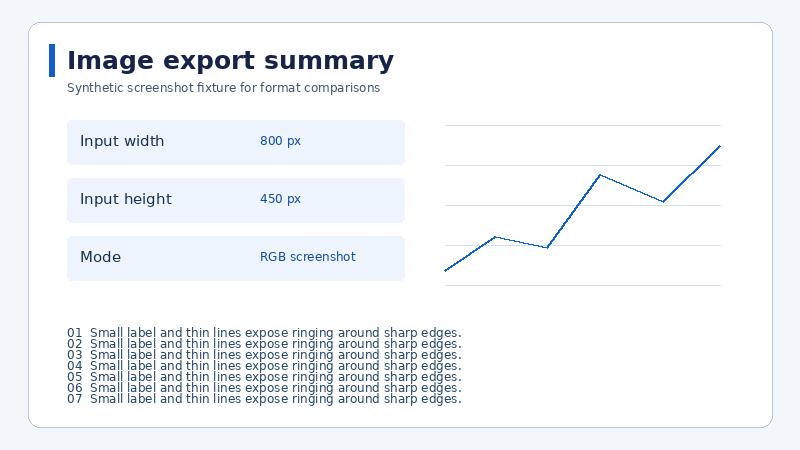
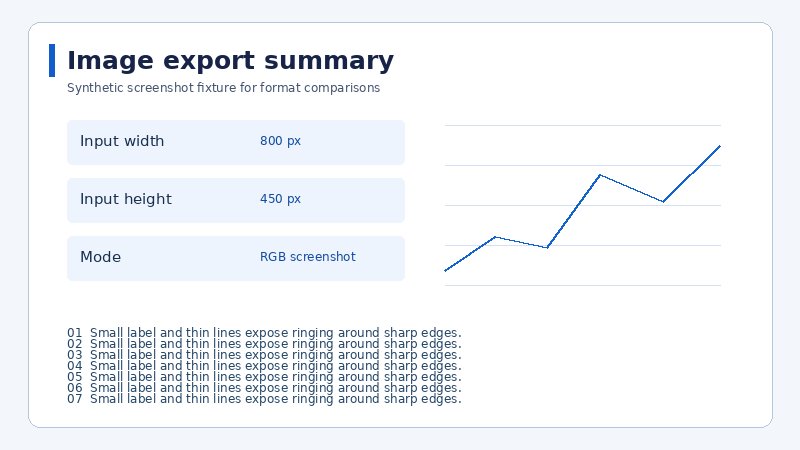
Use PNG when sharp text or transparency matters. Use JPEG for photos or when an upload form requires it. On the downloadable screenshot below, JPEG was smaller and changed pixels around fine details. PNG preserved every decoded pixel.
Examples checked November 11, 2026.
Evidence and accountability: read our testing methodology, contributor profile and editorial and corrections policy. The dated examples are specific tests, not a guarantee for every file or device.
JPG vs PNG at a glance
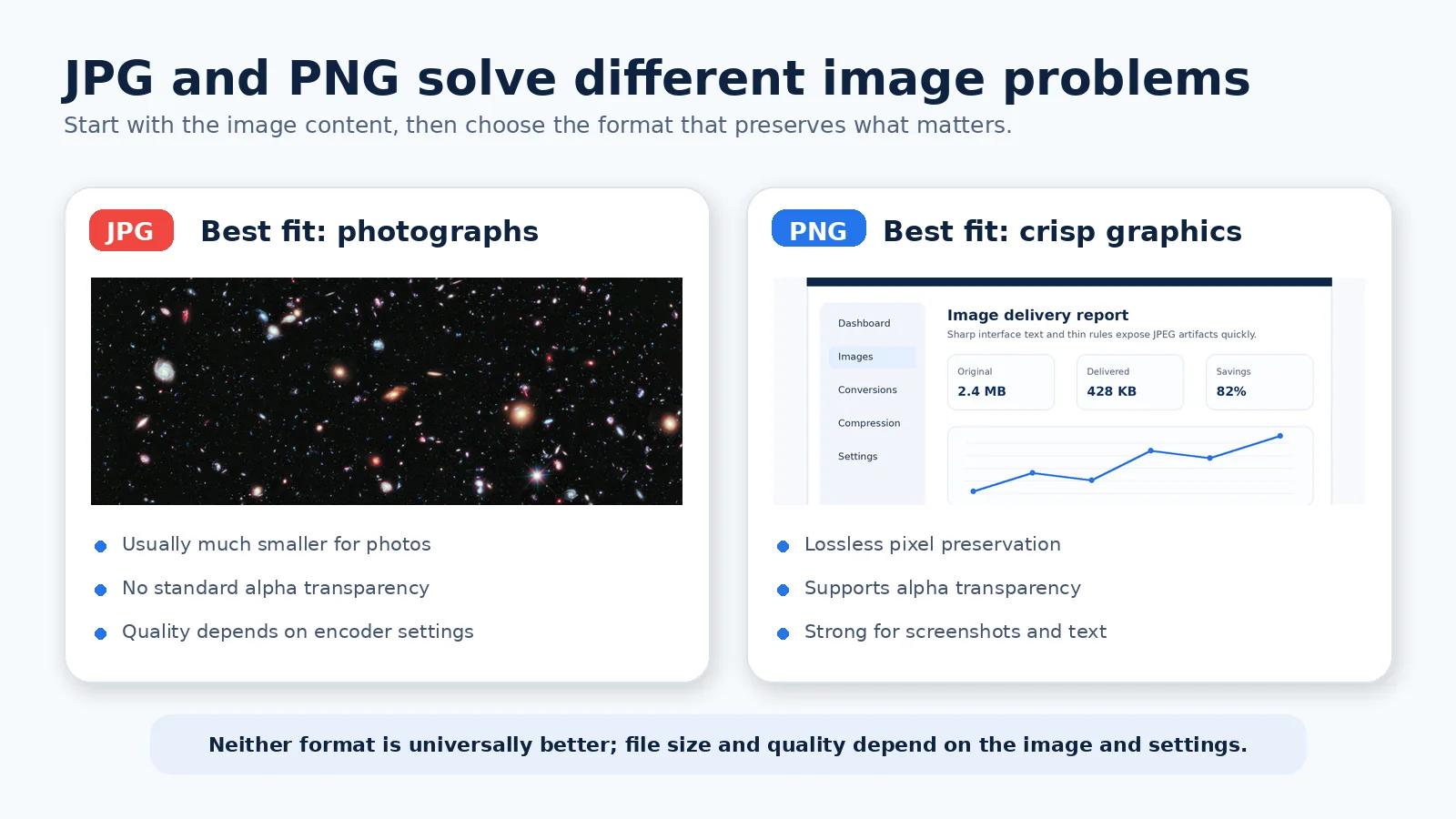
JPG and PNG solve different image problems. JPEG compression is designed to remove image information in ways that can greatly shrink photographs. PNG preserves its represented pixel data losslessly and can store alpha transparency, which makes it especially useful for graphics, screenshots and compositing.
| Area | JPG / JPEG | PNG |
|---|---|---|
| Compression | Normally lossy in everyday photo and web workflows | Lossless DEFLATE-based compression |
| Typical strength | Continuous-tone photographs | Sharp graphics, screenshots, text and transparency |
| Transparency | No standard alpha transparency | Supports alpha transparency |
| Photographs | Usually a practical choice when file size matters | Can preserve pixels losslessly but may be much larger |
| Screenshots / UI | Can add ringing or block artifacts around crisp edges | Often a strong fit for flat areas and sharp text |
| Logos / graphics | Usable when transparency and exact edges are unimportant | Often preferable for flat graphics and alpha |
| File size | Often smaller for photographic content; setting-dependent | Can be smaller for simple flat graphics; content-dependent |
| Repeated saving | Repeated lossy re-encoding can accumulate artifacts | Lossless re-encoding does not inherently add compression loss |
| Browser use | Longstanding, broadly supported web image format | Longstanding, broadly supported web image format |
What is JPG?
JPG and JPEG refer to the same JPEG image format family in normal use. The shorter .jpg extension became common because older systems favored three-character file extensions; .jpeg does not represent a different quality tier or a different modern format.
JPEG is best known for lossy compression. Instead of preserving every represented pixel value exactly, a typical encoder transforms and quantizes image information so that less data needs to be stored. The amount of loss depends on the encoder and its settings. That trade-off is often effective on photographs because natural scenes contain gradual color and tone changes where moderate compression can be hard to notice at normal viewing sizes.
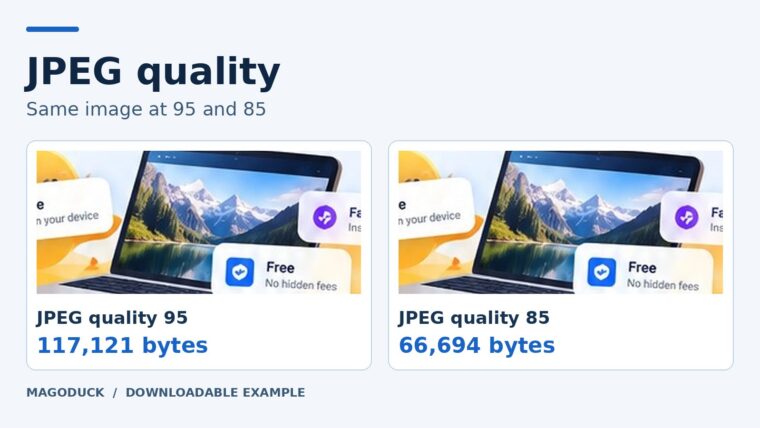
A “JPEG quality 85” file does not have one universal size. Two 1600×900 images saved at the same nominal quality can differ greatly because texture, noise, edges, color variation, encoder behavior and chroma subsampling all affect the result.
What is PNG?
PNG is a lossless raster image format. Its compression can reduce storage without intentionally throwing away the represented pixel values. PNG also supports transparency, including an alpha channel that can describe fully transparent, fully opaque and partially transparent pixels.
Lossless does not mean “magically better.” A PNG created from an already-compressed JPEG preserves the JPEG-decoded pixels it receives; it cannot reconstruct detail that an earlier JPEG encode discarded. Lossless also does not mean small: a detailed photograph can require far more bytes as PNG than as a sensibly compressed JPEG.
JPG vs PNG: the differences that actually matter
Image quality
PNG avoids the additional compression loss associated with ordinary JPEG encoding, so it is useful when exact edges or pixel values matter. JPEG trades some image information for smaller files. At moderate settings, that trade can be visually acceptable for photographs; at aggressive settings, block boundaries, ringing around edges and smeared fine detail become easier to see.
This is why “PNG has better quality” is too broad. PNG can preserve a given raster without lossy compression, but the original source, dimensions and prior processing still determine how much real detail exists.
File size
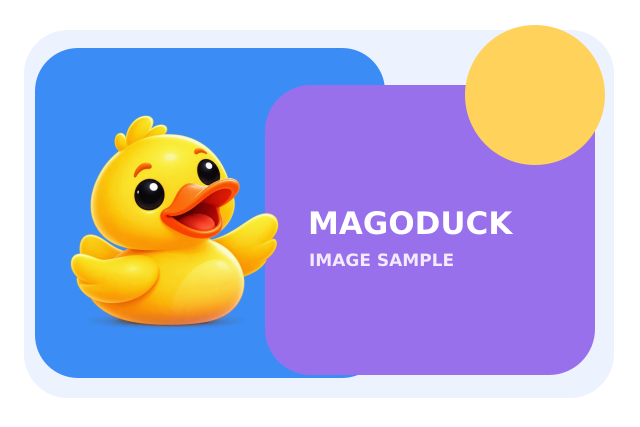
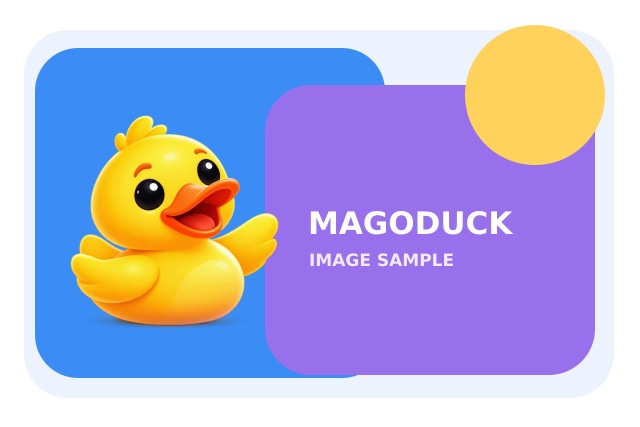
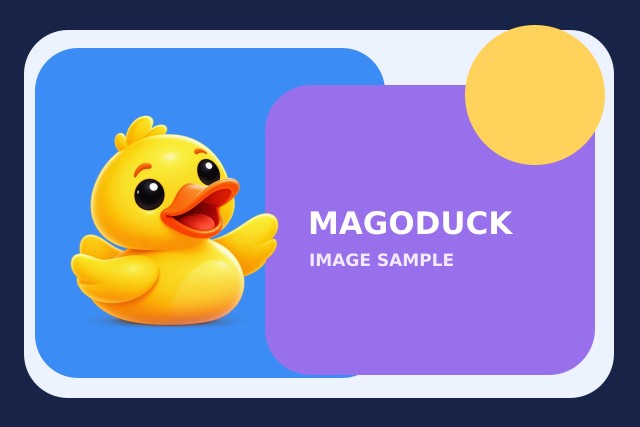
Neither format is always smaller. Photographic content often compresses much more efficiently as JPEG. Flat interfaces, diagrams and illustrations with large repeated areas can compress very efficiently as PNG. The controlled MAGODUCK tests below show both outcomes.
Why is my PNG file so large?
A high-resolution photograph can produce a large PNG because the encoder preserves every pixel and has fewer repeated patterns to compress. Check both dimensions first. If your destination allows smaller dimensions, resize the image and compare the new file size. To retain dimensions and transparency, try the lossless PNG compressor and compare the output bytes. A photo that can use an opaque format may be smaller as a JPEG.
Transparency
PNG can store alpha transparency; standard JPEG cannot. If a transparent PNG is converted to JPEG, the transparent pixels must be composited against some background before the JPEG is encoded. The chosen background is a conversion decision, not a property of JPEG itself.
JPG vs PNG for photographs
For ordinary photographic delivery, JPG is usually the more practical of these two formats when file size matters and transparency is not required. Photographs contain enough tonal and color variation that PNG’s lossless compression often produces a substantially larger file.
There are exceptions. PNG can make sense for a photographic intermediate when you specifically need lossless pixel preservation between processing steps, although professional workflows may use other source/master formats instead. If the destination supports newer formats such as WebP or AVIF, they may offer better compression for web delivery than either JPG or PNG; that is a separate choice from the JPG-versus-PNG decision.
JPG vs PNG for screenshots and text
PNG is often the safer default for screenshots, interface captures and graphics containing small text. Lossless compression keeps high-contrast edges exact, while JPEG can introduce visible noise around letters, icons and thin lines.
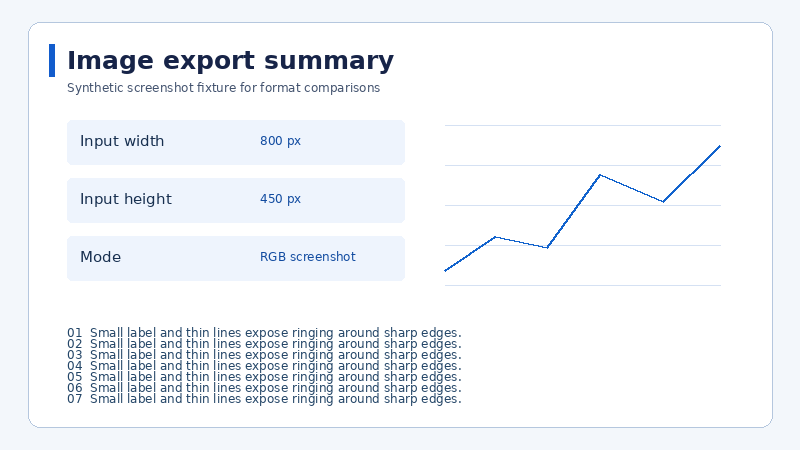
In the downloadable screenshot comparison, the JPEG saved 8.4% in bytes. Inspect the edges of the labels at 100% zoom when a screenshot must remain readable.
JPG vs PNG for logos and graphics
PNG is usually the more suitable of these two formats for raster logos, flat-color graphics and artwork that needs transparent edges. It preserves crisp boundaries and alpha. For simple flat imagery, its file can also be smaller than JPEG because repeated colors and patterns compress efficiently.
For a logo that can be represented as vectors, SVG may be a better delivery format than either JPG or PNG because it can scale without raster resampling. If you need a raster copy, PNG remains a common choice.
JPG vs PNG for websites
There is no rule that “JPG is fast” and “PNG is slow.” Website performance depends on the bytes actually transferred, the rendered dimensions, responsive image delivery, caching, decoding cost and how well the chosen format matches the content.
A 4000-pixel-wide JPEG delivered into a 400-pixel slot can be wasteful despite being JPEG. A tightly cropped PNG icon can be tiny. For modern websites, WebP and AVIF may be worth considering for eligible images, but JPG and PNG remain useful fallbacks and source formats because support is broad and their behavior is predictable.
For social platforms, follow the platform’s current upload requirements rather than assuming the uploaded extension will be preserved. Services may resize or re-encode images after upload, so keep a separate source/master when the original matters.
Editing and re-saving
If you expect repeated edits, keep a high-quality source or master rather than repeatedly opening and re-encoding the same JPEG. Every lossy JPEG encode can discard more information, so artifacts may accumulate across generations. PNG compression itself is lossless, meaning re-encoding an unchanged PNG does not inherently create another round of JPEG-style compression loss.
That statement has limits: actual editing operations, resizing, color-space conversions, palette reduction or other processing can still change pixels even when the final container is PNG.
Downloadable screenshot comparison
Both outputs came from this 800 × 450 synthetic screenshot. We compared each decoded output with the same pre-encode pixels.
| Output | File size | Changed decoded pixels |
|---|---|---|
| PNG | 50,451 bytes | 0 |
| JPEG at 85 | 46,222 bytes | 204,388 |
We ran these exports on November 11, 2026 in Chromium 156.0.8078.79. We decoded each source, drew it at the stated dimensions, encoded it with Canvas, and reopened the output. The measurement file with settings and SHA-256 hashes records file sizes and decoded pixel counts. Run node tests/blog-examples-v498.cjs /path/to/outputs from the plugin with Playwright and Chromium installed. Encoders can differ across browser versions.
Which format should you use?
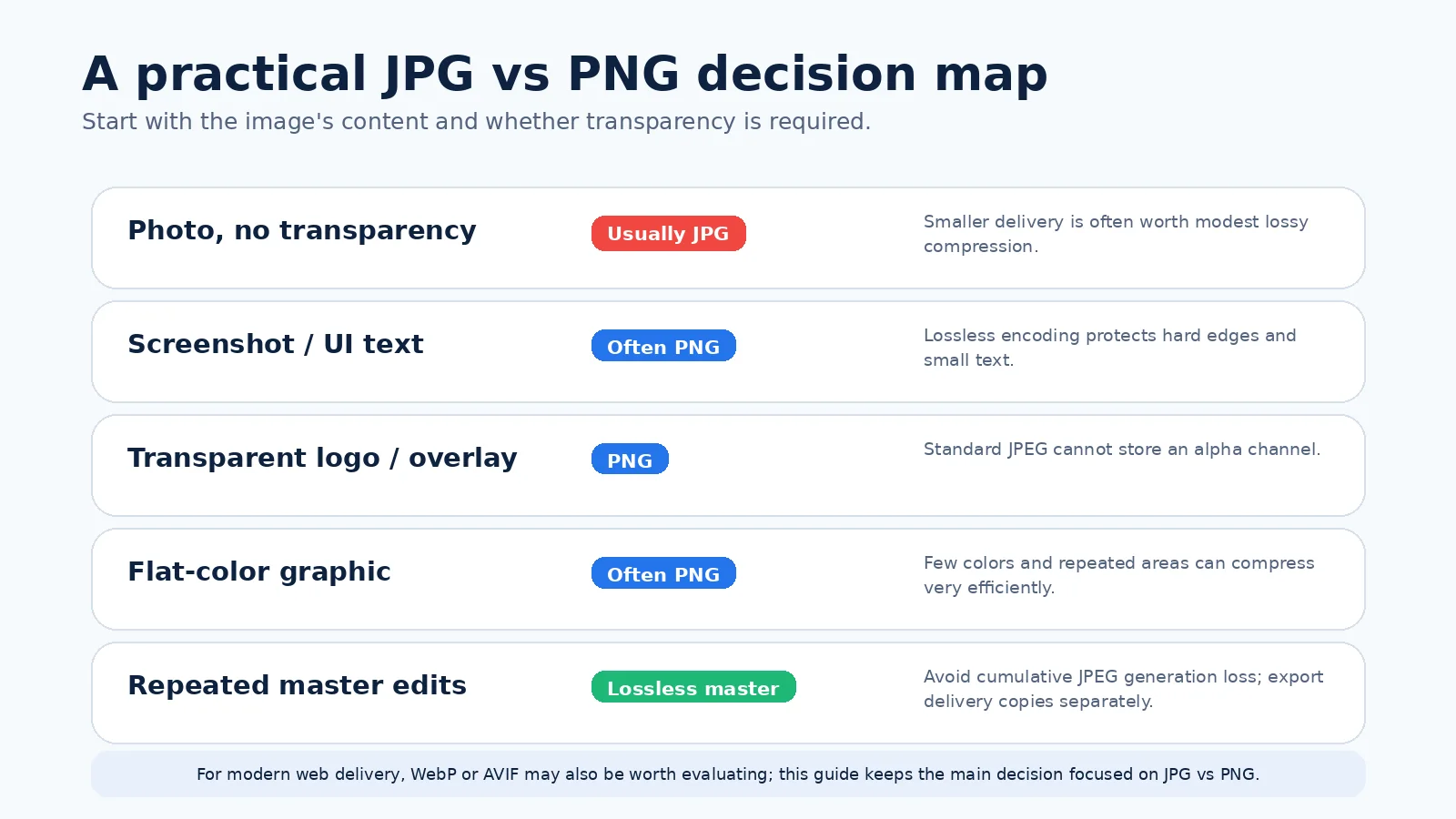
Start with the visual job the file must do. Then verify the exported file rather than making the decision from the extension alone.
| Scenario | Usually start with | Why |
|---|---|---|
| Photo for a web page | JPG | Often much smaller than PNG for continuous-tone imagery when transparency is unnecessary |
| Transparent raster logo | PNG | Supports alpha transparency and sharp edges |
| UI / app screenshot | PNG | Preserves text and hard edges without lossy artifacts |
| Flat infographic or diagram | PNG | Lossless edges; simple color areas may compress efficiently |
| Photo sent as a compact attachment | JPG | Quality can be traded for a smaller photographic file |
| Image that will be edited repeatedly | Lossless/source master | Avoid repeated lossy JPEG generations; PNG may work for raster graphics, but the best master format depends on the workflow |
Common JPG and PNG mistakes
- Converting JPG to PNG does not restore lost quality. It preserves the pixels decoded from that JPEG; discarded JPEG detail is not reconstructed.
- PNG is not automatically higher resolution. Resolution comes from pixel dimensions (and, for printing, how those pixels are mapped to physical size), not from the filename extension.
- A photo converted to PNG may become much larger. Our controlled photo grew from 262.3 KiB as JPEG quality 85 to 2,188.0 KiB as PNG.
- JPEG cannot preserve PNG alpha transparency. A converter has to flatten transparent areas against a chosen background or otherwise change the image before JPEG encoding.
- Format alone does not determine website speed. Oversized dimensions, poor responsive delivery and weak compression can waste more bytes than the extension suggests.
- Metadata behavior is not guaranteed by a conversion. Both format containers can carry metadata in various workflows, but a converter may intentionally strip, rewrite or preserve only some fields.
What happens when you convert JPG to PNG?
The converted PNG can stop any new JPEG compression from being added at that conversion step, but it cannot recover details already removed by JPEG compression. The PNG usually stores the decoded JPEG pixels losslessly, which can also make the output substantially larger without making the image sharper.
Why does a transparent PNG turn white in JPG?
JPEG has no alpha channel. In the PNG to JPG converter, select the background color that matches where the file will be used. Open the exported JPEG on a second background to confirm the result. Keep PNG or a supported WebP when you need transparent pixels.
Try the transparent PNG and compare the same image exported on white and on navy. To keep the decoded pixels of an existing JPEG in a lossless format, use the JPG to PNG converter.
JPG vs PNG FAQ
How do I submit a PNG screenshot when a form only accepts JPG?
Make a JPEG copy, choose a solid background if needed, and zoom in to check small text. Keep the PNG as a reference in case you need a sharper copy later.
Is PNG better quality than JPG?
Not automatically. PNG compression is lossless, so it does not add JPEG-style compression loss to the represented pixels. But a low-quality source remains low quality, and converting an existing JPEG to PNG does not restore discarded detail.
Is PNG always larger than JPG?
No. The image content matters. JPEG often compresses photographs more efficiently, while PNG can be smaller for flat graphics or some screenshots. Compare the actual exports rather than assuming either file type always wins.
Can a JPG have transparency?
Standard JPEG does not provide an alpha channel. If you convert a transparent image to JPEG, transparent pixels must be flattened or otherwise replaced during the conversion.
Does converting JPG to PNG improve quality?
No. The new PNG can preserve the JPEG-decoded pixels without further lossy compression, but it cannot recreate detail removed by the previous JPEG encoding.
Which format should I use for a website?
For these two formats, JPEG is commonly practical for photographs and PNG for transparency, screenshots and crisp graphics. Also optimize pixel dimensions and responsive delivery, and consider modern formats such as WebP or AVIF when appropriate.
Which format is best for screenshots?
PNG is often the better starting point for screenshots with text, icons and flat interface colors because it preserves sharp edges losslessly. A screenshot dominated by photographic content can behave differently, so compare the actual exported files when size is critical.
Methodology and sources
For reference, the earlier reported tables (CSV) record the previous article figures. The original inputs for those figures are unavailable. The examples above use the downloadable files shown here.
The image format specifications explain what can be stored. The downloadable comparison shows what one encoder produced.
Editorial transparency: This guide was drafted with AI assistance. The downloadable 800 × 450 screenshot exports and their recorded encoder settings support the size and pixel-comparison examples here; they are not evidence that PNG wins for every screenshot. Choose the format for the particular image you need to send.
The practical decision
Choose JPG when the image is mainly photographic and you want an efficient file without transparency. Choose PNG when sharp graphics, screenshots, text or alpha transparency matter. Then export a real sample and compare it. Content and settings can reverse the file-size result, and converting between formats cannot manufacture detail that was never there.